HF-Pipeline
transformers.pipeline
Pipeline 은 ML 의 여러 단계를 하나로 묶어 한 번에 실행하는 고수준 추론 API 클래스임.
- HF 의 파이프라인이 아닌,
- 일반적인 pipeline 및 scikit-learn의 pipeline은 다음을 참고: scikit-learn: Pipeline 사용법
일반적으로 다음의 단계가 묶임.
- Preprocessing:
- text면 tokenizer,
- image면 image processor 등
- Model (for inference):
- AutoModelFor… 계열 모델 실행
- Postprocessing:
- softmax
- label mapping
- top-k 정리
- 사용자 친화적인 출력 생성.
사용자는 복잡한 ML 작업을 매우 단순하게 하나의 인터페이스로 통합해 수행할 수 있음.
즉, 원래라면 사용자가 직접 작성해야 할 다음의 작업을 안에 숨겨놓은 일종의 Wrapper 임.
- tokenizer 호출
- tensor 생성
- model 호출
- logits 해석
- softmax 및 label 매핑
주로 AutoXXX 클래스와 사용되어 inference에 사용됨.
Class Hierarchy
pipeline은 아래와 같은 class hierachy상 위치를 가짐:
- High-Level API (User Interface)
pipeline():- 사용자가 직접 호출하는 entry point.
- 입력받은 태스크명 에 따라 알맞은 서브 클래스를 인스턴스화함
- Task-Specific Pipelines (Sub-classes)
- ImageClassificationPipeline
- TextClassificationPipeline
- ZeroShotClassificationPipeline
- 이들은 모두
Pipeline이라는 베이스 클래스를 상속받음
- Base Class
Pipeline:model,tokenizer,feature_extractor,image_processor- 등을 멤버 변수로 소유하고 관리함.
Tutorial
- 같이 보면 좋은 gist
1. pipeline 생성과 실행.
from transformers import pipeline

pipe = pipeline("text-classification")
result = pipe("I love this movie.")
print(result)
- "text-classification"은 파이프라인의
task이름
한 줄(line)의 코드로:
- tokenizer가 자동으로 준비되고
- 분류용 모델이 연결되며
- 출력 후처리 로직까지 세팅됨
출력 예시는 다음과 같음:
[{'label': 'POSITIVE', 'score': 0.999}]
list객체로 반환된다는 점label: 예측 클래스score: 신뢰도
이 경우 지정한 task의 기본값으로 설정된 모델이 선택되나 경고 메시지가 뜸.
실무에서 모델을 model 키워드로 명시적으로 지정하는 것을 권함.
다음의 코드를 통해, pipe가 사용하는 실제 model이 어떤 클래스인지, tokenizer가 무슨 타입인지 등을 확인할 수 있음.
print(type(pipe.model))
print(type(getattr(pipe, "tokenizer", None)))
결과는 다음과 같음:
<class 'transformers.models.distilbert.modeling_distilbert.DistilBertForSequenceClassification'>
<class 'transformers.models.bert.tokenization_bert.BertTokenizer'>
2. 모델을 지정하여 사용하기
from transformers import pipeline

clf = pipeline(
    task="text-classification",
    model="clapAI/roberta-base-multilingual-sentiment",
)

print(clf("난 한국어를 선호해."))
- 모델 미지정으로 기본 모델이 자동 선택되지 않도록 명시적 지정.
text-classification에서 한글을 지원하는 다국어 모델인XLM-RoBERTa계열을 사용한 모델을 지정함.
가능하면 다음도 같이 습관화하는 편이 권장됨.
revision설정 : 커밋 해시 나 태그 를 지정하여 고정(재현성 강화)device또는device_map지정(성능/운영 고려)
한국어 감성 분석에 특화된 KoELECTRA 기반 모델이 성능 면에서 더 높음:
model="jaehyeong/koelectra-base-v3-generalized-sentiment-analysis"를 사용해 볼 것.
3. Zero-Shot 텍스트 분류.
zero-shot-classification은 label을 런타임에 지정하여 주는 방식.
zero-shot classification은
모델이 특정 분류 task를 위해 별도로 fine-tuning되지 않았더라도, 주어진 label 후보의 의미를 이용해 입력이 어떤 범주에 가장 잘 맞는지 분류하는 방법임.
즉, 학습 데이터에 없던 새로운 class라도 label 이름이나 설명만 적절히 주면 바로 분류에 활용할 수 있다는 점이 핵심임.
zero-shot-classification 은 "후보 라벨 리스트를 주면 그 중 무엇이 가장 적절한지" 를 추론함.
from transformers import pipeline
import numpy as np

zs = pipeline(
    task="zero-shot-classification",
    model="MoritzLaurer/mDeBERTa-v3-base-mnli-xnli",
)

text = "I liked the cinematography, but the story was weak."
labels = ["positive", "negative", "neutral"]

out = zs(text, labels)
print(out)
print(out["labels"])
print(out["scores"])
zero-shot-classification의 pipe라인의 출력 out에서 보통 확인하는 key(키):
sequence: 입력 문장labels: 점수 내림차순 정렬된 라벨scores: 라벨별 점수(정렬된labels와 같은 순서)
다국어/한국어 중심이라면,
label 언어를 다국어/한국어 로 해주고,
hypothesis_template을 설정하는 것이 보다 나은 성능을 보임.
여러 parameters
multi_label=False- 라벨 중 하나만 정답 인 상황(예: 주제 1개만 고르기)
multi_label=True- 여러 라벨이 동시에 성립 가능 인 상황(예: 태그 여러 개)
hypothesis_template- 다국어에서 특히 중요
- 한국어 입력이면 한국어 템플릿을 주는 편이 유리한 경우가 많음
truncation=True, max_length=...- 긴 문서 입력 시 안전장치
- 잘리는 기준이 되므로 실험적으로 조정
batch_size=...- 리스트 입력에서 처리 효율에 영향
- GPU가 있으면 일반적으로 성능향상이 큼.
- CPU 의 경우, padding으로 인해 오히려 성능이 떨어질 수도 있으니 주의.
from transformers import pipeline
import torch

# 1) 파이프라인 생성 (모델 명시 - 경고 회피)
MODEL_ID = "MoritzLaurer/mDeBERTa-v3-base-mnli-xnli"
zs = pipeline(
    task="zero-shot-classification",
    model=MODEL_ID,
    device=0 if torch.cuda.is_available() else -1,
)

# 2) 입력/라벨 준비
text = "이 문서는 환자 진료 기록을 요약하고, 치료 계획과 예후를 설명합니다."
labels = ["의료", "법률", "금융", "교육", "기술", "병원"]

# 3) (중요) hypothesis_template
# - 모델이 NLI 기반으로 "text" (premise) 와 "가설 문장" (hypothesis) 쌍을 만들어 판단.
# - 라벨을 {}에 끼워 넣어 hypothesis를 구성.
# - 다국어/한국어 입력이면 한국어 템플릿이 대개 유리함.
hypothesis_template_ko = "이 글의 주제는 {}이다." # {} 안에 빈 칸 넣으면 에러발생함. 주의!

# 4) (중요) multi_label
# - False: 라벨이 상호배타적(하나만 정답)인 상황 가정 -> softmax로 정규화 경향
# - True : 여러 라벨이 동시에 참일 수 있는 상황 가정 -> 각 라벨을 독립적으로 판단하는 쪽으로 동작
out_exclusive = zs(
    text,
    candidate_labels=labels,
    multi_label=False,
    hypothesis_template=hypothesis_template_ko,
    # 5) 입력 처리 옵션 (파이프라인이 tokenizer에 전달)
    truncation=True,
    max_length=256,
)

out_multilabel = zs(
    text,
    candidate_labels=labels,
    multi_label=True,
    hypothesis_template=hypothesis_template_ko,
    truncation=True,
    max_length=256,
)

print("=== multi_label=False (상호배타) ===")
for label, score in zip(out_exclusive["labels"], out_exclusive["scores"]):
    print(f"{label}: {round(score, 3)}")
print(f"{np.sum(out_exclusive["scores"]) = :.3f}") # 1이 됨.

print("\n=== multi_label=True (복수 선택 가능) ===")
for label, score in zip(out_multilabel["labels"], out_multilabel["scores"]):
    print(f"{label}: {round(score, 3)}")
print(f"{np.sum(out_multilabel["scores"]) = :.3f}") # 1이상이 가능.
다음은 batch_size 를 사용하는 예임.
texts = [
    "이 영화는 연출이 훌륭했지만 스토리가 약했습니다.",
    "환자 통증이 지속되어 추가 검사와 처치가 필요합니다.",
    "주식 시장 변동성 확대에 따라 리스크 관리가 중요합니다.",
    "딥러닝 모델의 추론 최적화와 배포 전략을 논의합니다.",
]

labels = ["의료", "금융", "엔터테인먼트", "기술"]

# list로 넘기면 내부에서 각각 처리함.
# 굳이 loop를 만들 필요 없음.
outs = zs(texts,
          candidate_labels=labels,
          multi_label=True,
          hypothesis_template="이 문장의 주제는 {}이다.",
          truncation=True,
          max_length=192,
          batch_size=16,
	  top_k = 2,     # top 2 선택
)

# top 2 선택
for t, o in zip(texts, outs):
    print("\n---")
    print(t)
    print(list(zip(o["labels"], [round(s, 2) for s in o["scores"]])))

print( "=======================")
# --- threshold 적용 ---
THRESHOLD = 0.5

# --- threshold 넘는 top 2 선택 ---
for t, o in zip(texts, outs):
    print("\n---")
    print(t)
    print(list(
        zip(
            o["labels"],
             [round(s, 2) for s in o["scores"] if s>=THRESHOLD]
            )
        )
    )
- Thresholdind 의 경우, 아무것도 없을 수도 있음 (지정된 threshod를 모두 넘지 못하는 경우).
- 최대 점수를 받은 라벨을 하나 강제 선택하는 것도 방법임.
4. 이미지 분류 (ViT)
다음은 image를 사용하는 경우임.
from transformers import pipeline
from PIL import Image
import requests

img_url = "https://huggingface.co/datasets/huggingface/documentation-images/resolve/main/cats.png"
image = Image.open(requests.get(img_url, stream=True).raw)

img_clf = pipeline(
    task="image-classification",
    model="google/vit-base-patch16-224",
)

results = img_clf(image)
print(results[:5])
"image-classification"task는 기본적으로google/vit-base-patch16-224모델 사용.- 이 모델은 ImageNet-1k라는 방대한 이미지 데이터셋으로 학습됨.
- 1,000개의 클래스로 이루어진 라벨!
단,
label2id는 label중 crane이 중복되어 999개 나옴. crane 이 기계 크레인 과 새 두루미 의 두 가지에 대해 label로 중복 사용.
참고: pipeline 살펴보기.
pipeline() 으로 얻어진 Pipeline 객체를 호출시
파라메터로 받아들이는 argument(인자)들은 다음의 코드로 확인 가능함
(Pipeline 이 callable객체이기 때문)
import inspect

sig = inspect.signature(pipe.__call__)
print(sig)

# 각 파라미터 정보 출력
print("\nParameters:")
for name, param in sig.parameters.items():
    print(f"- {name:10}: kind={str(param.kind):22}, default={param.default}, annotation={param.annotation}")
단, inspect.signature(pipe.__call__)로 확인되는 것은 Pipeline 객체의 공통 호출 인터페이스임.
- 실제로 지원되는 세부 keyword argument는
- task별 pipeline 구현에서 **kwargs를 통해 처리되는 경우가 많으므로,
- 최종적으로는 해당 task의 공식 문서를 확인해야 함.
참고로, 결과는 다음과 같음:
(sequences: str | list[str], *args, **kwargs)

Parameters:
- sequences : kind=POSITIONAL_OR_KEYWORD , default=<class 'inspect._empty'>, annotation=str | list[str]
- args      : kind=VAR_POSITIONAL        , default=<class 'inspect._empty'>, annotation=<class 'inspect._empty'>
- kwargs    : kind=VAR_KEYWORD           , default=<class 'inspect._empty'>, annotation=<class 'inspect._empty'>
반환되는 output은 dict 객체이므로 다음으로 확인 가능
print("--- output.keys()를 리스트로 변환하여 display()로 출력 ---")
display(list(output.keys()))

print("\n--- 각 키를 줄바꿈하여 출력 ---")
for key in output.keys():
    print(f"- {key}")
Pipeline이 사용하는 모델의 명세는 pipe.model.config를 통해 확인할 수 있음.
로컬에 저장 경로 - Cache
Pipeline으로 특정 task 에 관련된 모델과 컴포넌트들을 HF Hub로부터 가져오면 다음의 cache directory 에 저장된다.
Linux/macOS
~/.cache/huggingface/
Windows
C:\Users\<USERNAME>\.cache\huggingface\
내부의 실제 저장 구조는 대략 다음과 같음:
~/.cache/huggingface/ # Windows는 경로가 조금 다름.
 └─ hub/
    └─ models--{org}--{repo_name}/
       ├─ refs/
       │  └─ main
       ├─ snapshots/
       │  └─ <commit_hash>/
       │     ├─ config.json
       │     ├─ model.safetensors
       │     ├─ tokenizer.json
       │     ├─ preprocessor_config.json
       │     └─ README.md
       └─ blobs/
- Hub의 Git commit hash 기반 버전 관리를 그대로 반영
- 동일 repo라도
- 다른 commit
- 다른 revision(tag, branch)
- 의 경우, 서로 다른 snapshot으로 공존 가능
<commit_hash>밑의 파일들에 대해 좀 더 자세히 살펴보려면 [[/hf/pipeline_repo]] 를 참고.
참고로, 다른 cache directory (root)를 지정할 수도 있음:
pipeline(
    task,
    model="repo_id",
    cache_dir="/my/local/cache",
)
주요 Pipeline taks list
다음의 task를 지원함.
적절한 모델은 HuggingFace Hub 의 모델에서 찾을 수 있음 https://huggingface.co/models
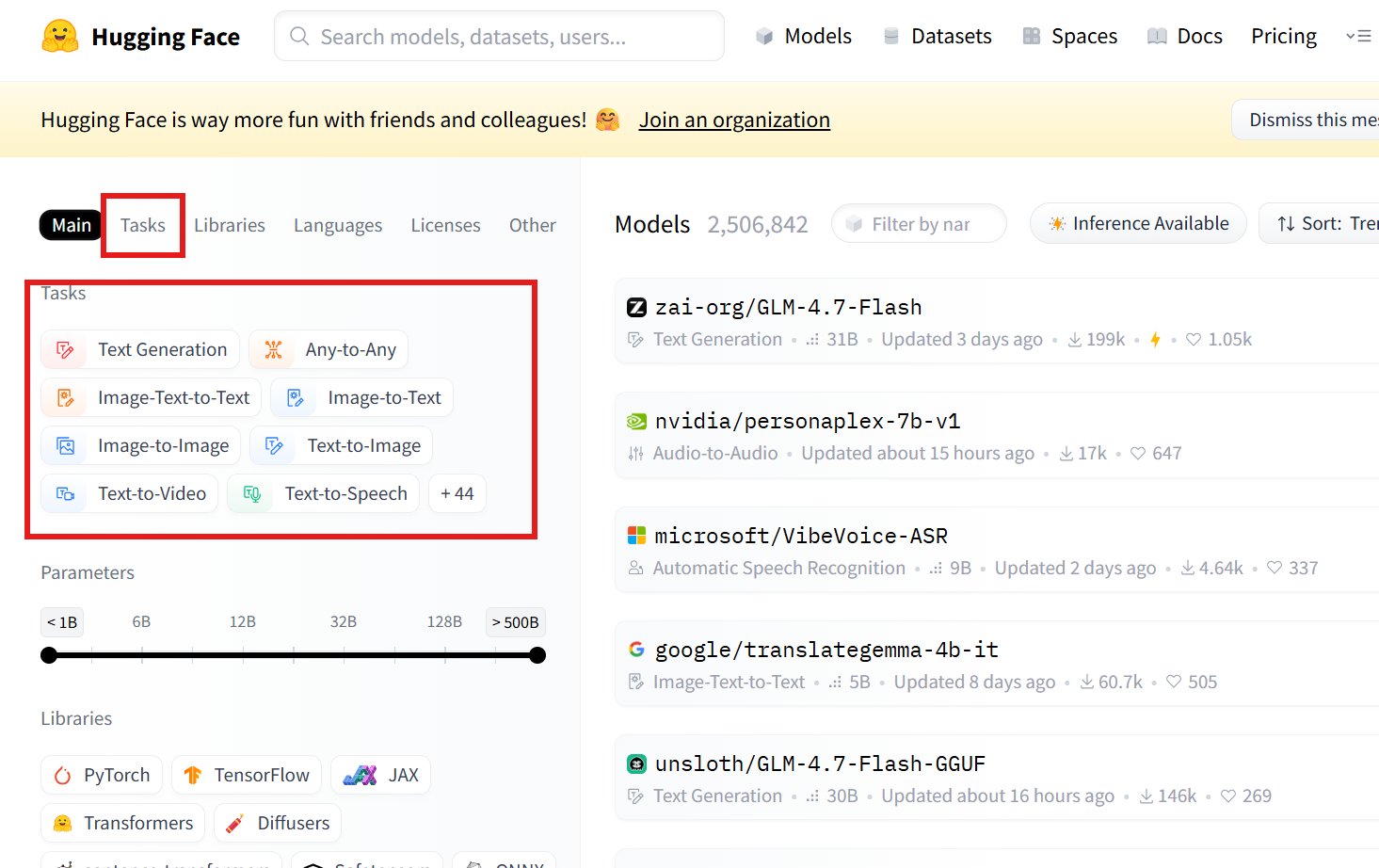
정말 정확한 건 src를 참고하는 것임.
transformers.pipelines.__init__.py
SUPPORTED_TASKS딕셔너리의 키를 참고!
A. 텍스트(Text) 계열
| task 문자열 | 설명 | Pipeline 클래스 | postprocess() 동작 요약 | 공식 문서 |
|---|---|---|---|---|
text-classification |
문장/문서 분류 (sentiment analysis 포함) | TextClassificationPipeline |
logits에 sigmoid(단일 라벨) 또는 softmax(다중 라벨) 적용 후, id2label로 라벨명을 붙여 [{label, score}] 반환 (top-k 가능) |
link |
token-classification |
토큰 단위 분류 (NER 등) | TokenClassificationPipeline |
토큰별 logits -> 라벨/점수로 변환 후, 서브워드/연속 토큰을 엔티티로 aggregation하여 entity/score/word/start/end 형태 리스트 반환 |
link |
question-answering |
Extractive QA | QuestionAnsweringPipeline |
start/end logits로 후보 span 점수 계산 -> 최적 span 선택 -> answer, score, start, end(context 내 문자 인덱스) 반환 |
link |
text-generation |
자동 텍스트 생성 (causal LM) | TextGenerationPipeline |
generate() 결과 토큰을 디코딩하여 generated_text 생성 (옵션에 따라 prompt 포함/제외, 여러 시퀀스 반환) |
link |
text2text-generation |
Seq2Seq 생성 (번역, 요약 등) | Text2TextGenerationPipeline |
generate() 결과를 디코딩하여 generated_text 반환 (task별로 키 이름만 달라질 수 있음) |
link |
summarization |
문서 요약 | SummarizationPipeline |
seq2seq 생성 결과를 디코딩하여 summary_text 반환 |
link |
translation_xx_to_yy |
기계 번역 | TranslationPipeline |
seq2seq 생성 결과를 디코딩하여 translation_text 반환 |
link |
fill-mask |
마스크 토큰 예측 | FillMaskPipeline |
[MASK] 위치의 분포에서 top-k 토큰을 뽑아 sequence, token_str, score 등을 반환 |
link |
feature-extraction |
hidden state / embedding 추출 | FeatureExtractionPipeline |
모델 출력 hidden states(대개 last_hidden_state 등)를 그대로 추출해 배열/리스트 형태로 반환 | link |
B. 비전(Vision) 계열
| task 문자열 | 설명 | Pipeline 클래스 | postprocess() 동작 요약 | 공식 문서 |
|---|---|---|---|---|
image-classification |
이미지 분류 | ImageClassificationPipeline |
logits -> softmax 후 label, score로 정렬해 top-k 반환 |
link |
image-segmentation |
이미지 분할 | ImageSegmentationPipeline |
픽셀 단위 예측을 마스크/세그먼트로 변환하고, label/score 및 마스크(또는 맵) 반환 |
link |
object-detection |
객체 탐지 | ObjectDetectionPipeline |
예측 박스를 이미지 좌표계로 변환하고 NMS 등 적용 후 box, label, score 리스트 반환 |
link |
depth-estimation |
깊이 추정 | DepthEstimationPipeline |
모델 출력 depth를 depth map(예: PIL/ndarray)로 변환해 반환 | link |
image-to-text |
이미지 캡셔닝 | ImageToTextPipeline |
generate() 결과를 디코딩하여 캡션 텍스트 generated_text 반환 |
link |
C. 오디오(Audio) 계열
| task 문자열 | 설명 | Pipeline 클래스 | postprocess() 동작 요약 | 공식 문서 |
|---|---|---|---|---|
automatic-speech-recognition |
음성 인식 (ASR) | AutomaticSpeechRecognitionPipeline |
디코딩(CTC/seq2seq)에 따라 text 생성, 옵션에 따라 chunk/timestamp 정보 포함 가능 |
link |
audio-classification |
오디오 분류 | AudioClassificationPipeline |
logits -> softmax 후 label, score top-k 반환 |
link |
text-to-speech |
음성 합성 (TTS) | TextToSpeechPipeline |
생성된 waveform을 정리해 audio(샘플 배열)와 sampling_rate 등을 반환 |
link |
D. 멀티모달(Multimodal) 계열
| task 문자열 | 설명 | Pipeline 클래스 | postprocess() 동작 요약 | 공식 문서 |
|---|---|---|---|---|
zero-shot-image-classification |
텍스트 조건 기반 이미지 분류 | ZeroShotImageClassificationPipeline |
이미지-텍스트 점수(유사도)를 정규화해 label, score로 반환 (candidate labels 기반) |
link |
visual-question-answering |
이미지 기반 질문 응답 | VisualQuestionAnsweringPipeline |
(대개) 답 후보 분포에서 최적 답을 선택해 answer, score 형태로 반환 |
link |
document-question-answering |
문서 이미지 기반 Extractive QA | DocumentQuestionAnsweringPipeline |
start/end logits(문서 토큰/OCR 토큰 기준)로 최적 span 선택 -> answer, score, start, end 반환 |
link |